


Can You Actually Replace Your Laptop with an iPad? (How to Do It Right)
We’ve all had the dream. You’re packing for a weekend trip, a busy workday at a coffee shop, or just heading to a class, and you look at your bulky, heavy laptop. Then, you look at your sleek, lightweight iPad.
Can I just bring this instead?
For years, the answer was a reluctant, “Not really.” iPads were great for watching movies or drawing, but when it came to actual work—typing emails, managing spreadsheets, and multitasking—they fell short. But with recent iPadOS updates and the massive leap in iPad processor power, the barrier has disappeared.
Yes, you can absolutely replace your laptop with an iPad. But to do it without losing your mind, you need the right setup. Here is how to make the transition seamless and why your physical hardware is the ultimate game-changer.
The Problem: On-Screen Typing is a Nightmare
Let’s be honest. Trying to type a 1,000-word email or edit a document on the iPad’s on-screen virtual keyboard is frustrating. It takes up half your screen, it lacks tactile feedback, and you’re constantly making typos.
If you want your iPad to feel and function like a laptop, you need a physical, high-performance keyboard.
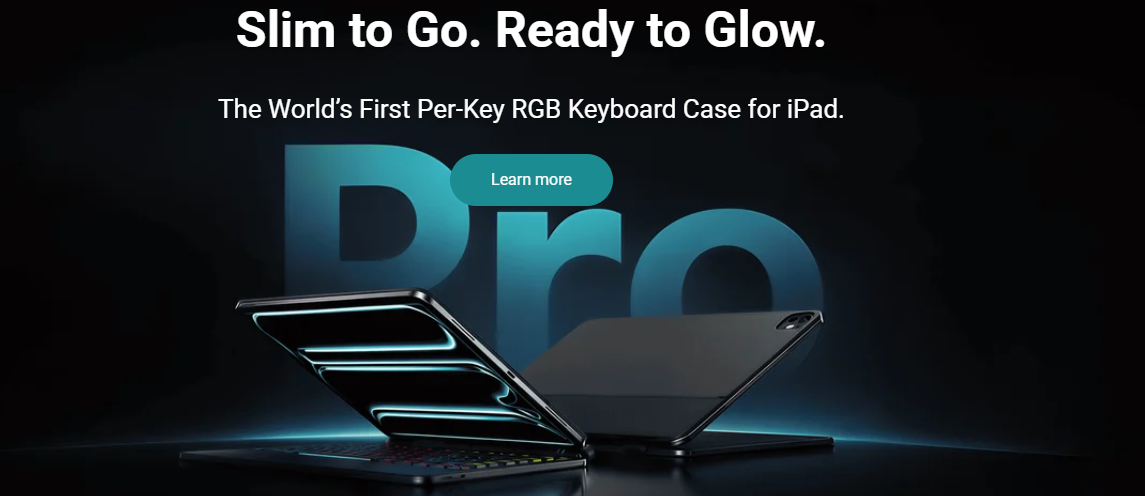
That’s where the Typecase Edge Magnetic Floating Keyboard comes in. Instead of just “protecting” your device, it lifts your iPad up on a magnetic, floating cantilever stand, elevating the screen to the perfect eye-level viewing angle—just like a real laptop.
👉 [Click Here to explore Typecase Edge Keyboard Cases and elevate your workflow]
Upgrade Your Navigation with a Precision Trackpad
To truly ditch your laptop, you need to stop touching your screen every two seconds. Reaching forward constantly to tap the screen causes wrist fatigue and breaks your focus.
iPadOS fully supports mouse and trackpad gestures. Choosing a case with an integrated, highly responsive multi-touch trackpad—like the Typecase Edge Pro or Flexbook Touch—allows you to navigate sheets, edit documents, and swipe between apps using the exact same multi-touch gestures you’re used to on Mac or PC.
Optimize Your Workflow
Once you have the physical hardware sorted, make a few software tweaks to complete the laptop experience:
-
Master Split View & Stage Manager: Don’t just work in one app at a time. Use these features to keep your note-taking app on one side and your research browser on the other.
-
Keyboard Shortcuts: iPads have incredible built-in shortcut support. Commands like
Cmd + Space(to search) orCmd + Tab(to switch apps) will make you fly through your daily tasks. -
Use the Cloud: Keep your files in iCloud, Google Drive, or OneDrive so you can transition between mobile and desk environments without missing a beat.
Lightweight Freedom, Zero Compromises
An iPad with a durable, backlit keyboard case gives you the ultimate hybrid device. When you need to answer emails, you have a powerhouse laptop; when you want to read, sketch, or watch a movie, you can quickly detatch or fold it back.
Stop hauling around extra weight. It is time to work smarter, travel lighter, and unlock the true potential of your iPad.
✨ [Click Here to find the perfect Typecase keyboard for your iPad model and enjoy free shipping!]