


I Tried 10 Productivity Apps, But This is the Only One That Organized My Chaotic Brain
For years, my digital life was an absolute disaster. I had to-do lists in Apple Notes, project boards in Trello, random ideas saved in Evernote, and bookmarks scattered across three different browsers.
I was spending more time trying to remember where I saved my information than actually doing my work. The breaking point came when I missed a major deadline because the project details were buried in a random Google Doc I forgot existed.
I knew I needed a massive change. That is when I stumbled upon the concept of building a digital “Second Brain,” and the tool that made it all possible: Notion.
If you are feeling overwhelmed by digital clutter, here is why Notion is the only productivity tool you will ever need.
What is Notion? (The “All-in-One” Workspace) Unlike other apps that force you to work in a specific way, Notion is basically digital Lego. It gives you building blocks—text, checklists, databases, calendars, and Kanban boards—and lets you build a workspace that perfectly matches how your unique brain operates.
How Notion Replaced 5 Different Apps for Me
-
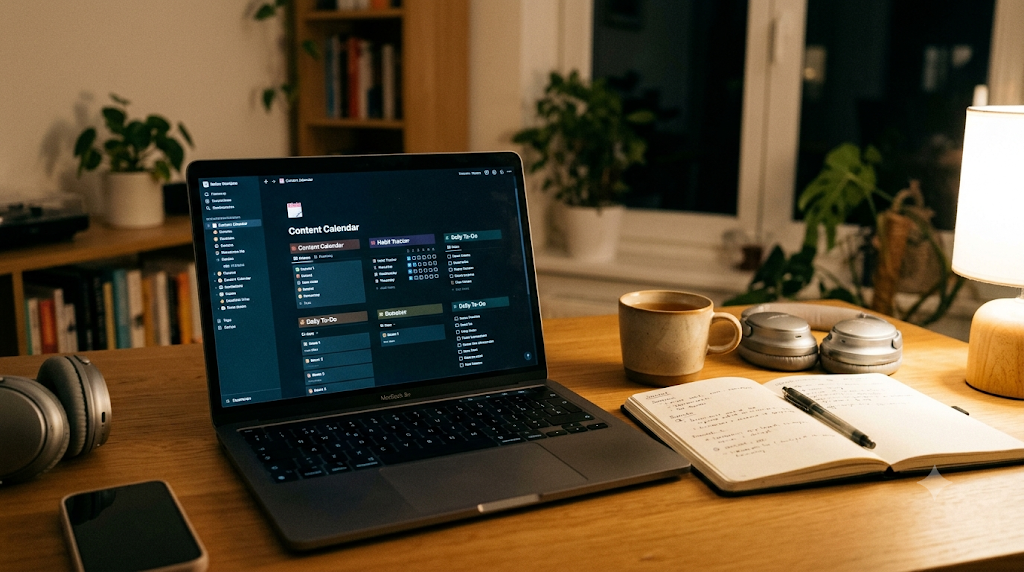
Goodbye, Trello: I built a custom content calendar in Notion that lets me drag and drop blog posts through different stages (Drafting, Editing, Published).
-
Goodbye, Evernote: I use Notion’s Web Clipper to instantly save articles, recipes, and design inspirations directly into a categorized digital library.
-
Goodbye, Expensive Planners: I created a daily dashboard that pulls in my goals, habits, and daily tasks all into one clean, aesthetic page.
The Learning Curve (And How to Skip It) I will be honest: opening Notion for the first time can be intimidating because it is just a blank white page. But you do not have to build everything from scratch.
The secret to mastering Notion is starting with templates. The community has built thousands of incredible, ready-to-use templates for everything from budget tracking and travel planning to university studying and business management.
Start Building Your Digital Sanctuary Switching to Notion didn’t just organize my files; it drastically reduced my daily anxiety. Knowing that every idea, task, and project has a specific, searchable home in my digital workspace is incredibly freeing.
If you are ready to stop juggling multiple apps and take control of your productivity, you can start using Notion entirely for free.